In the previous lesson, you learned how to break out of the Expo Go shell and use Development Builds to install any Native library on the internet. Thanks to this, your application is no longer limited by what Expo provides out of the box.
But imagine a harsher scenario: Your company just bought a specialized Bluetooth receipt printer, or a partner handed you an internal Software Development Kit (SDK) specifically for scanning magnetic cards. You scour the internet but no one has written a React Native library for this device!
At this point, you can no longer download it with npm install. You must play the role of the library writer yourself. How? Welcome to the world of Native Modules and the revolution called the Expo Modules API.
1. What is a Native Module? The Pain of the "Old Era"
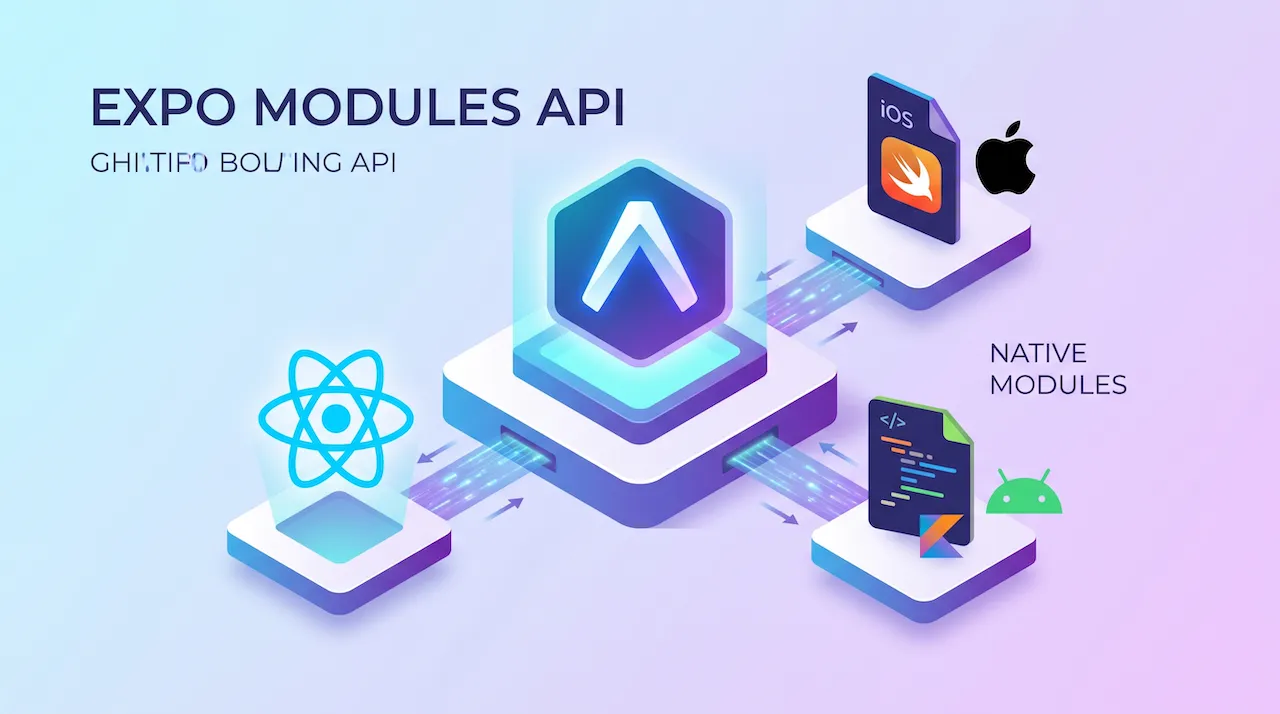
A Native Module is simply a "bridge" that allows JavaScript code (in React Native) to call and directly control Native code snippets (Java/Kotlin on Android and Objective-C/Swift on iOS).

For years, writing such a bridge yourself in pure React Native (CLI) was considered a "nightmare" for frontend developers:
- You had to learn incredibly complex, archaic C++ and Objective-C syntaxes.
- You had to memorize dozens of lengthy macros (like
RCT_EXPORT_METHOD). - You had to open Android Studio and Xcode and manually configure each structural file, which was very error-prone.
Because of this complexity, 90% of React Native developers would often "surrender" and push this work to specialized Native engineers.
2. A New Era: The Magic of the Expo Modules API
The Expo team once again stepped up and changed the rules of the game with the Expo Modules API. This framework completely redefines how we write Native code.

The Superiority of the Expo Modules API:
- Use Modern Languages: You get to write 100% in Swift (for iOS) and Kotlin (for Android) - these are 2 modern languages with clean syntax and are very easy to learn (especially if you already know JavaScript/TypeScript).
- "Human-like" Syntax: No more confusing macros. Expo provides a set of tools (DSL - Domain Specific Language) that makes declaring Native functions incredibly natural.
- Fully Automated: The system automatically creates the folder structure and automatically links (autolinking) your Native code into the React Native project. You only have to focus on typing the logic code.
3. Initializing Your First Native Module
Let's start by making an extremely simple module: A function that returns the phone model name and a greeting.
Instead of manually creating files, Expo provides a tool to create a standard module folder. Open the Terminal and type:
npx create-expo-module my-custom-moduleThe system will ask you a few questions (like library name, author), then it will generate a my-custom-module folder containing the following structure:
- 📁
android/src/main/java/...(Where to write Kotlin code) - 📁
ios/(Where to write Swift code) - 📁
src/(Where to write TypeScript/JavaScript code to call the 2 files above)
4. Dissecting the Code: From Native Code to JavaScript Code
Let's see how the Expo Modules API has made this communication so easy!
Step 1: Writing iOS Code (Swift)
Open the ios/MyCustomModule.swift file. The core syntax revolves around the Module() block.
import ExpoModulesCore

public class MyCustomModule: Module {
  public func definition() -> ModuleDefinition {
    // 1. The name of the library when called from JavaScript
    Name("MyCustomModule")

    // 2. Write a function named "sayHello" for JS to call down to
    Function("sayHello") { (name: String) -> String in
      return "Hello \(name)! This is a greeting from the deep iOS Swift core."
    }

    // 3. You can also catch events or access device hardware here
  }
}
Step 2: Writing Android Code (Kotlin)
Open the android/src/main/java/.../MyCustomModule.kt file. You will see the syntax is almost identical to Swift! This is an amazing effort by Expo to unify the programming experience.
package expo.modules.mycustommodule

import expo.modules.kotlin.modules.Module
import expo.modules.kotlin.modules.ModuleDefinition

class MyCustomModule : Module() {
  override fun definition() = ModuleDefinition {
    // 1. Library name
    Name("MyCustomModule")

    // 2. Write a function named "sayHello" for JS to call down to
    Function("sayHello") { name: String ->
      "Hello $name! This is a greeting from the deep Android Kotlin core."
    }
  }
}
Step 3: Calling the Function in the Interface (JavaScript)
Now, let's return to our world. Open the src/index.ts file and set up the connection:
// Call the function from the Native core
import MyCustomModule from './MyCustomModule'

export function sayHello(name: string): string {
  // Just call the function like a normal function!
  return MyCustomModule.sayHello(name)
}
And in your React Native UI file (App.tsx), you use it incredibly effortlessly:
import { Text, View } from 'react-native'
import { sayHello } from 'my-custom-module'

export default function App() {
  const greeting = sayHello('Developer')

  return (
    <View style={{ flex: 1, justifyContent: 'center', alignItems: 'center' }}>
      {/* On iOS it will print Swift's text, on Android it will print Kotlin's text */}
      <Text style={{ fontSize: 18, color: 'blue' }}>{greeting}</Text>
    </View>
  )
}
Awesome, isn't it? Absolutely no cumbersome configurations. You pass a string from JS; Native catches it, processes it, and returns the result smoothly, synchronously, and extremely quickly.
5. When Is It Really Necessary to Write a Native Module?
Writing a Native Module yourself is a heavy weapon. You should only "draw your sword" in the following cases:
- Communicating with Specific Hardware: Thermal printers, card-swiping POS machines, Bluetooth-connected electronic scales, etc.
- Integrating Third-Party SDKs: A partner provides you with an original library via a
.framework(iOS) or.aar(Android) file but does not support React Native yet. - Extreme Performance Optimization: Complex image processing tasks, video compression, or encoding heavy files that need to leverage multi-core CPU power (multi-threading).
Conclusion: Expo Modules API Breaks Down All Barriers
The Expo Modules API has broken down the barrier of fear for Frontend developers when facing Native source code. It makes it easy to write Swift and Kotlin, package them into a top-notch library, and call it using JavaScript.
At this point, you have officially grasped the entire "martial arts manual" from the basics to the highest realm of React Native and Expo. You can build interfaces, manage data, navigate smoothly, call APIs, and even intervene directly with the operating system!
But, an amazing app will still be invisible if it only lives on your computer. In the final lessons of the series, we will tackle the most important phase: Testing & Publishing, see you soon!